Exercise - Stability Analysis with XSLOPE, Part 2
In this exercise, we will solve three additional slope stability problems using the UTEXASED software. For each problem, start with the standard Excel input template:
After preparing each set of inputs, launch the XSLOPE Google Colab notebook for stability analysis and upload your Excel input file and solve:

Find the critical factor of safety for each problem.
Problem 1 - Method of Slices Problem
This is the same problem we solved earlier using an Excel spreadsheet. Solve using XSLOPE.
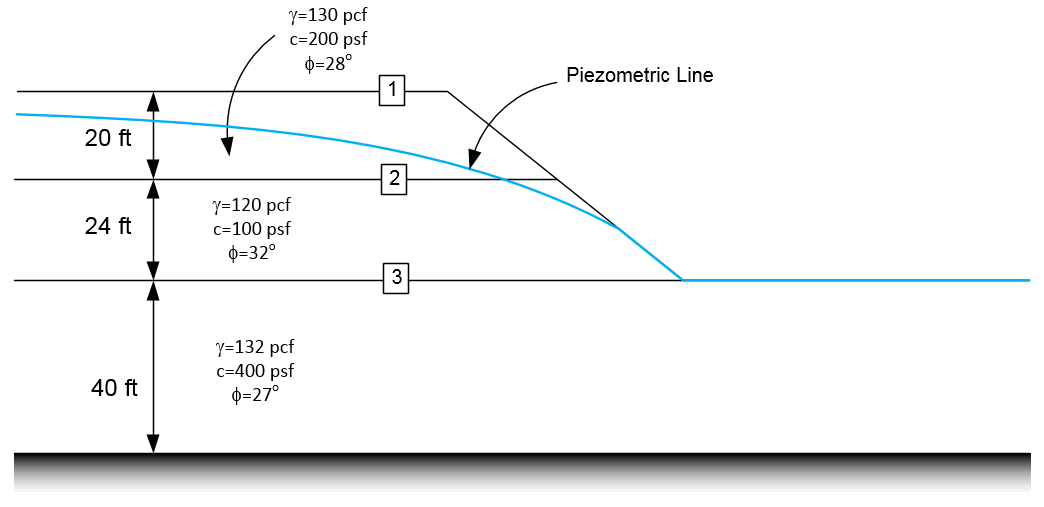
Use the following spreadsheet to get the coordinates of the profile lines and the piezometric line: method-of-slices-input.xlsx
Solution: xslope_method_slices_problem.xlsx
Problem 2 - Multi-Layer Foundation Problem
Solve the following problem using XSLOPE.
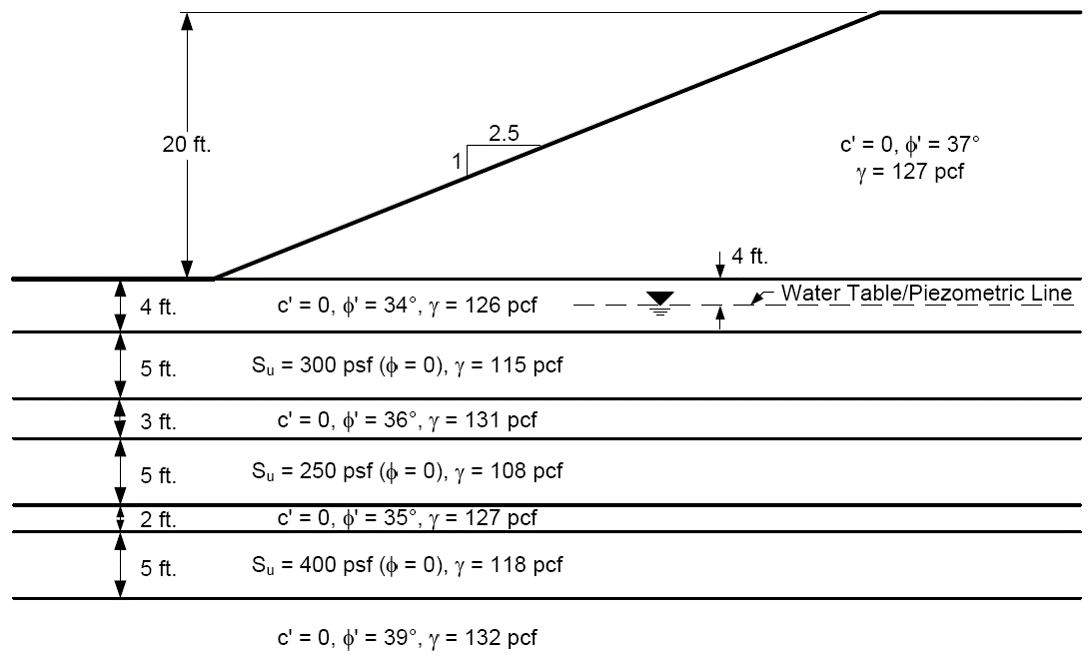
Use a variety of starting circles to ensure that you have found the critical factor of safety.
Solution: xslope_eight_layers.xlsx
Problem 3 - Non-Circular Failure Surface Problem
Solve the following problem using XSLOPE.
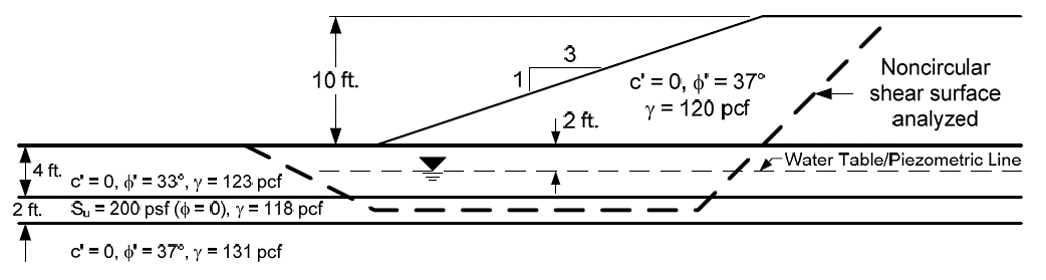
Variations:
a) Circular failure surface
b) Individual non-circular surface
c) Automatic search non-circular surface
Solution: xslope_noncircular.xlsx